


BeDebtFree
Take control of what you owe.
Every debt becomes a card. Pick a strategy, watch the stack shrink, and know exactly when you’ll be free. BeDebtFree is a payoff planner that runs on your own numbers, with no account, no ads, and no bank logins.
See BeDebtFree in use
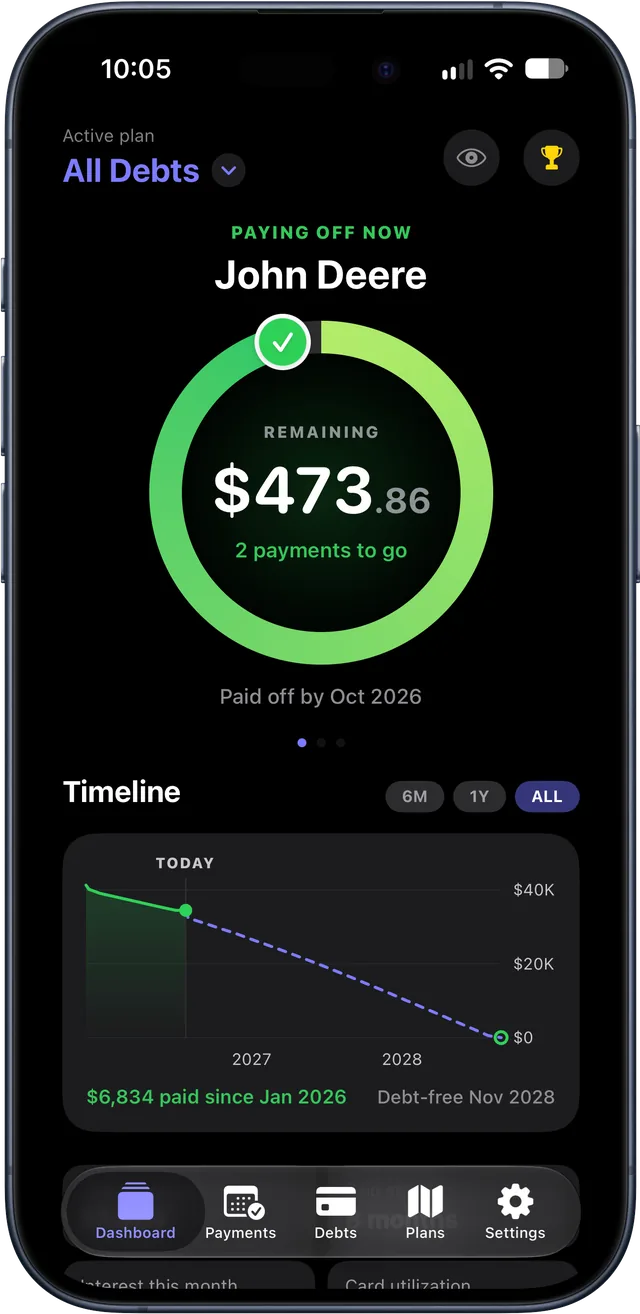
Your debts, your plan, your progress.
How it works
A plan you can see, and a date you can count on
Enter what you owe once. BeDebtFree works out the order, the interest, and the day you’re done, then keeps the plan current as you pay.
See everything you owe
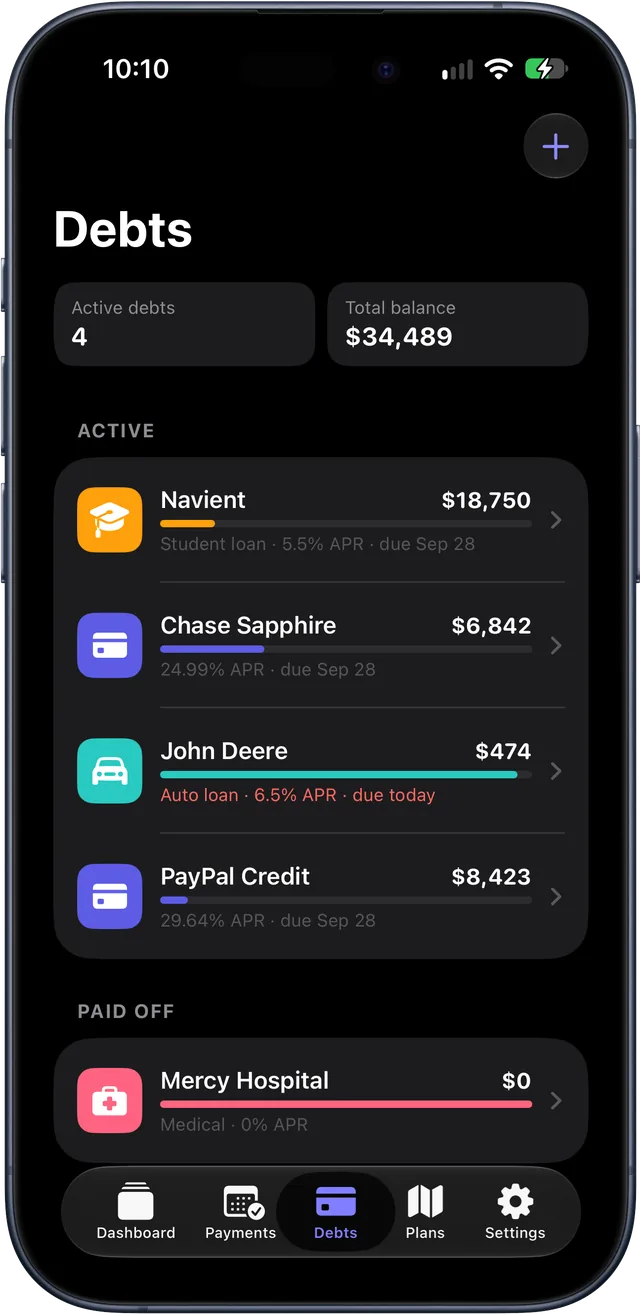
Every debt, one stack
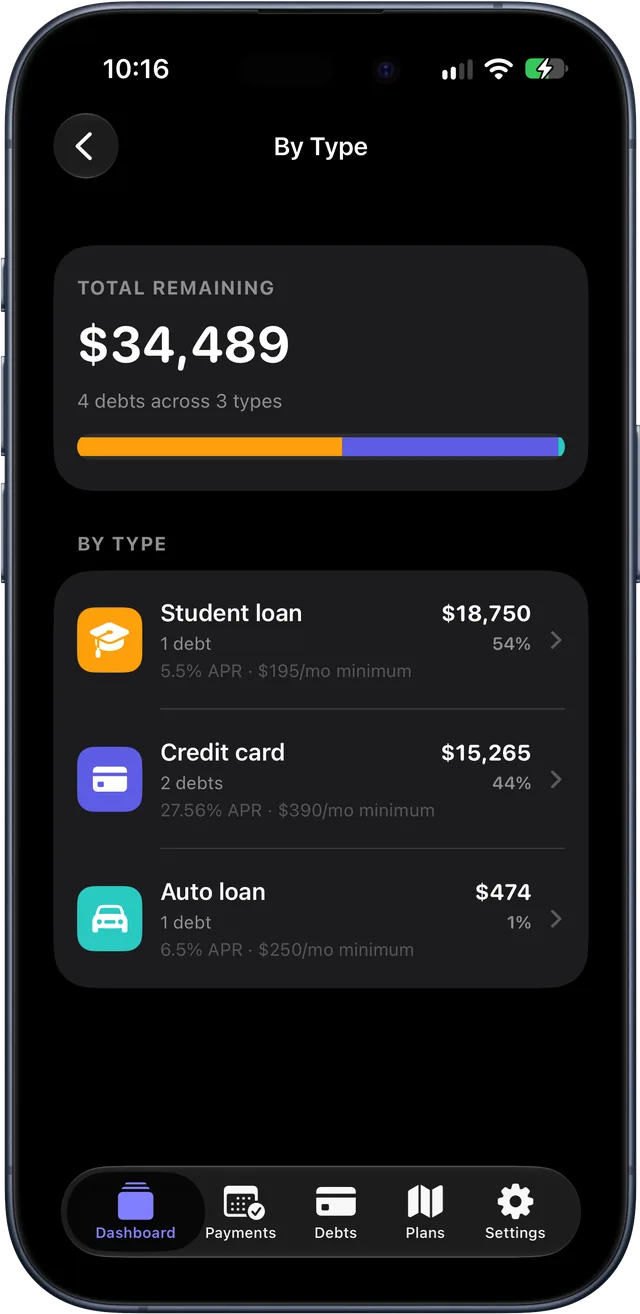
Credit cards, auto loans, mortgages, student loans, medical, personal, and other debts, each with its balance, APR, minimum payment, due day, and auto-pay setting.
What it’s costing you
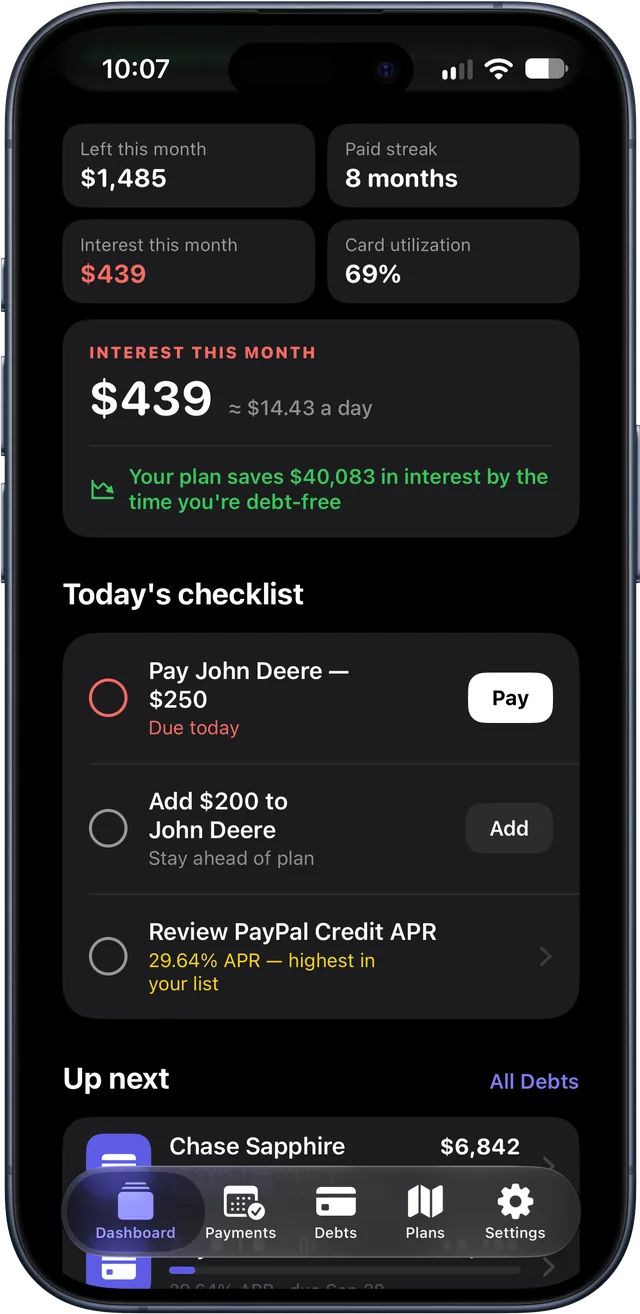
Interest this month, down to about how much a day, and how much your plan saves over paying only the minimums.
Today’s checklist
What’s due, what to log, and where an extra payment does the most good.
Pick your strategy
Snowball, avalanche, or your own order
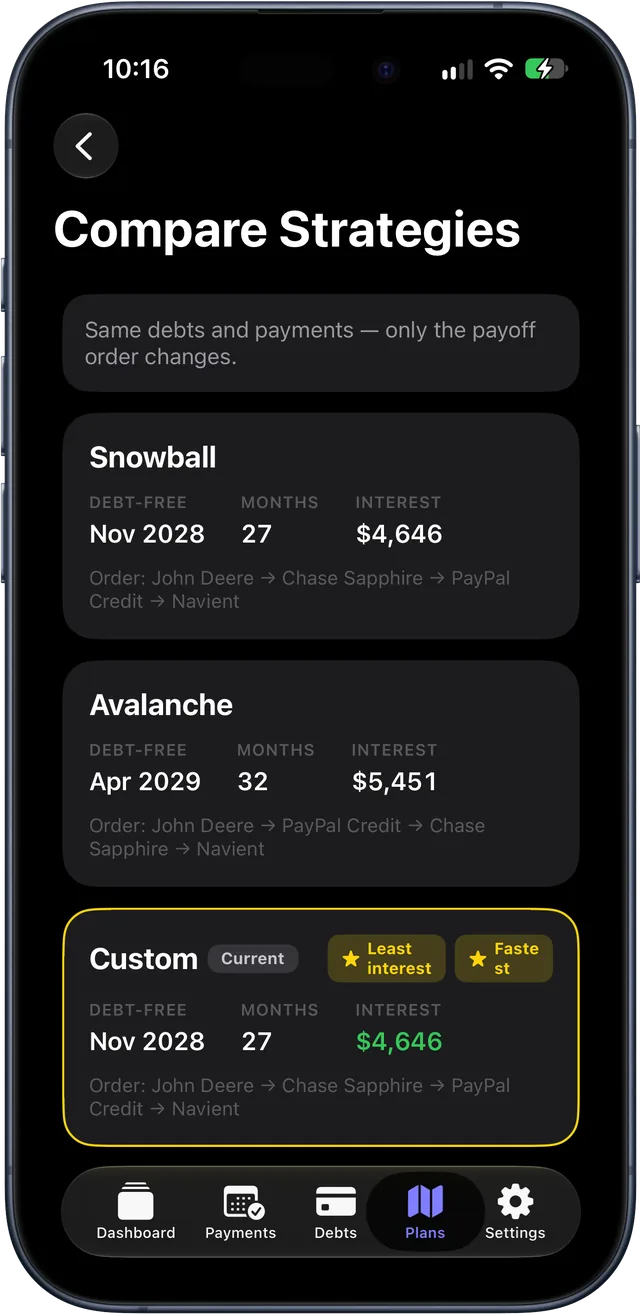
Smallest balance first for quick wins that build momentum, highest APR first to pay the least interest overall, or drag your debts into the order you choose. Add an extra amount each month and see how much sooner you’re done.
Compare before you commit
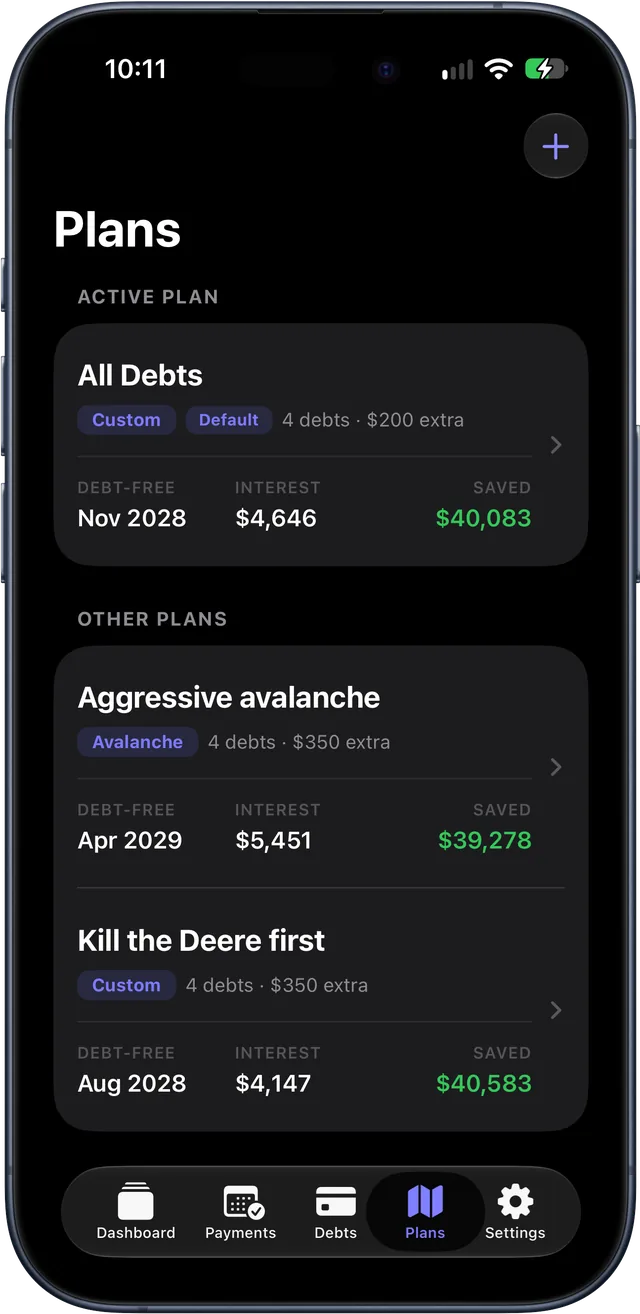
See the same debts and payments under each strategy, with the debt-free date, months to go, and total interest for each.
Payoff order and amortization
Every plan shows the order debts fall, the month each one is paid off, and the full schedule behind it.
Custom plans
Keep what-if scenarios beside your main plan, each with its own strategy, order, and extra payment.
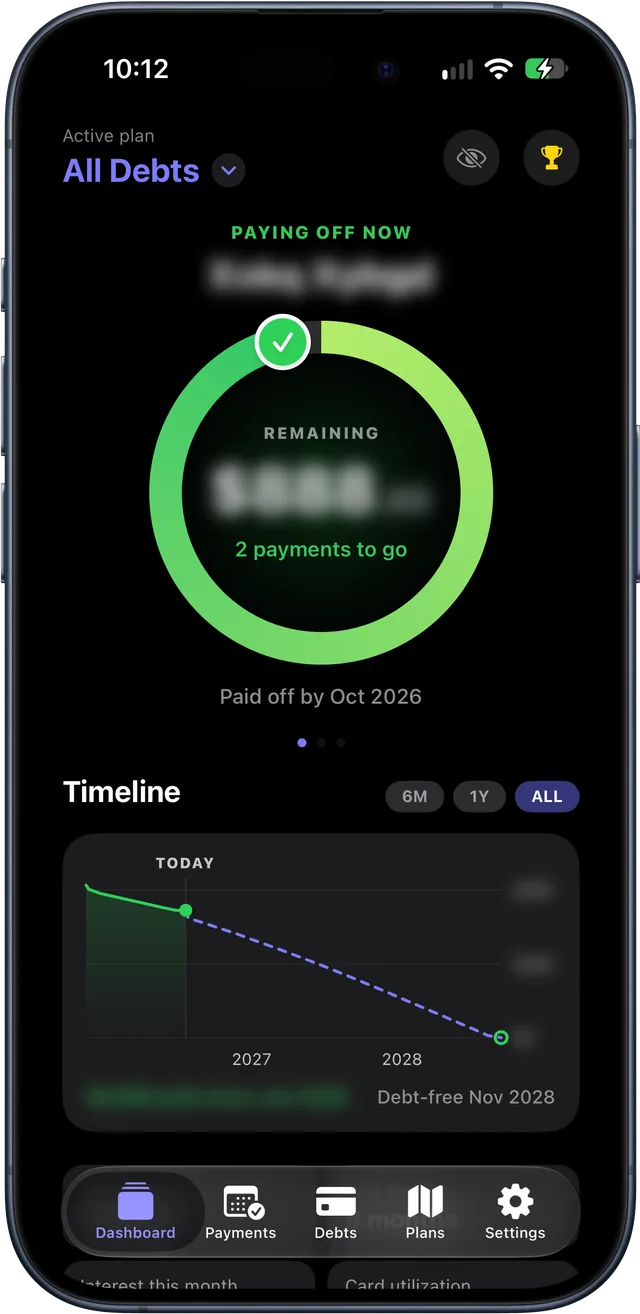
Private by design
Privacy Mode
Blur balances and debt names throughout the app and widgets, and keep them out of notifications, with one tap or by asking Siri to “Hide my balances in BeDebtFree.”
App Lock
Require Face ID, Touch ID, or your passcode to open BeDebtFree.
No account, no bank logins
You enter your own numbers. Nothing is linked, scraped, or sent to a server of ours, and there are no ads or tracking.
Your iCloud, your data
Sync between your devices runs through your own private iCloud account. Back up to a file, or export payments as CSV and your payoff schedule as PDF.
Everywhere you are
One plan, on every screen
A native app for iPhone, iPad, and Mac, with an Apple Watch app and widgets. Your plan stays in sync through iCloud.
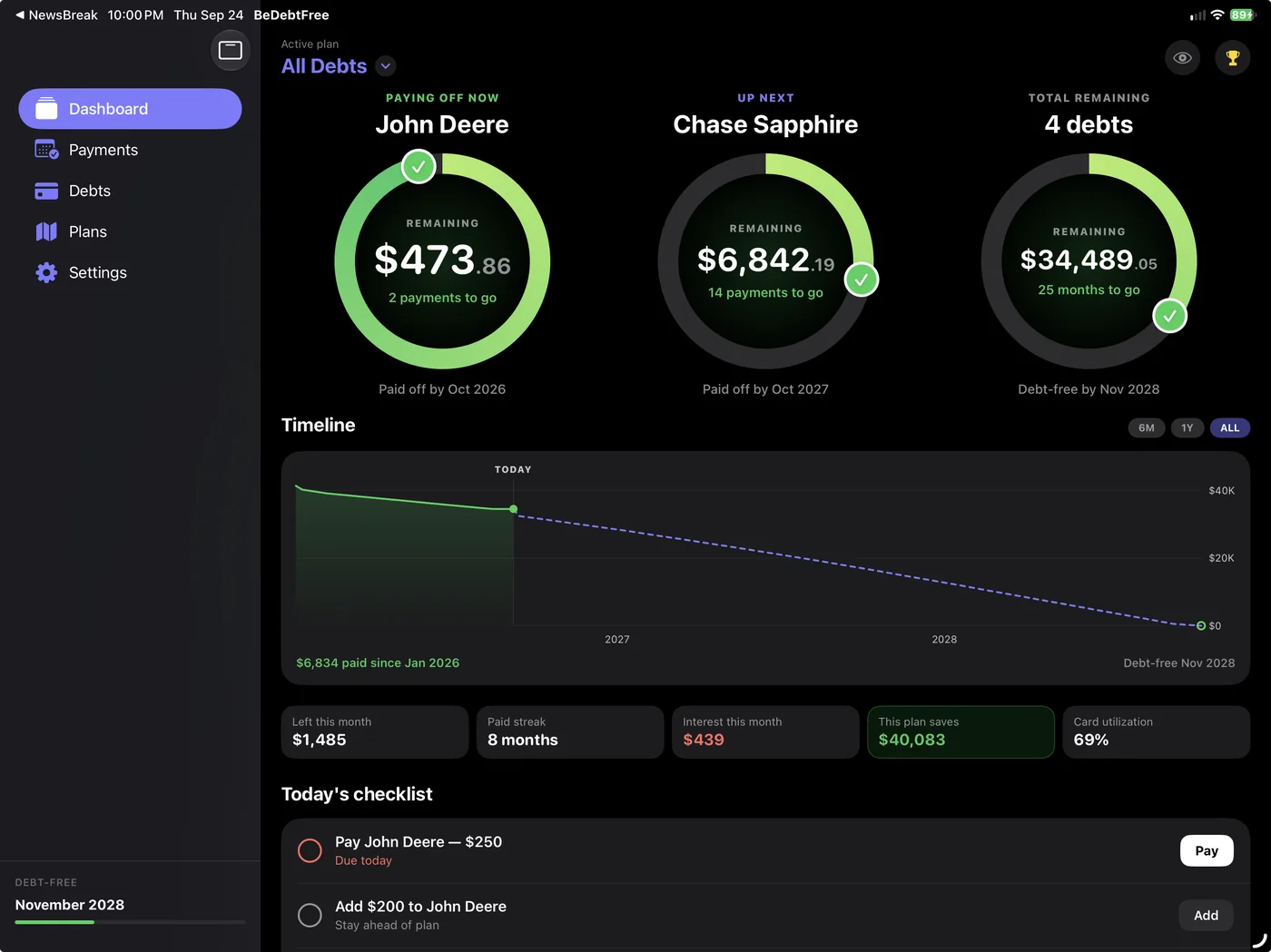

iPhone and iPad
The full app, with a sidebar layout on iPad that shows your list and details side by side.
Mac
A native Mac app, with the same dashboard, plans, and exports.
Apple Watch
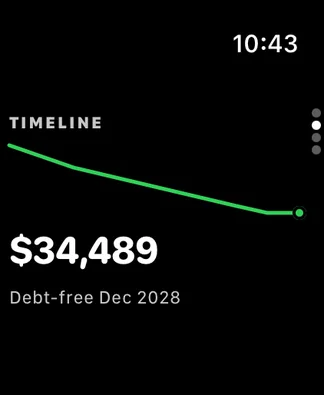
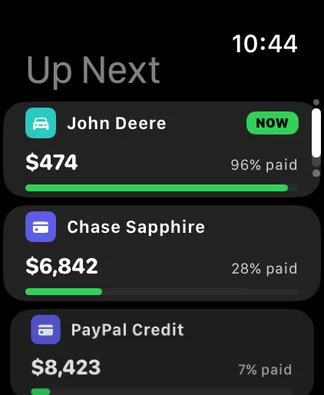
Your progress ring, timeline, and what’s up next on your wrist, with quick logging for a minimum payment.
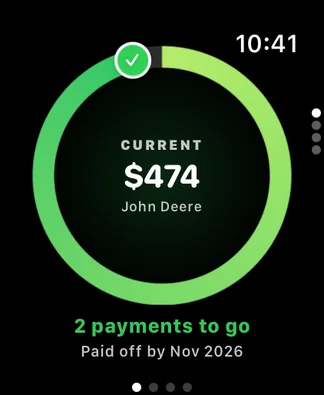
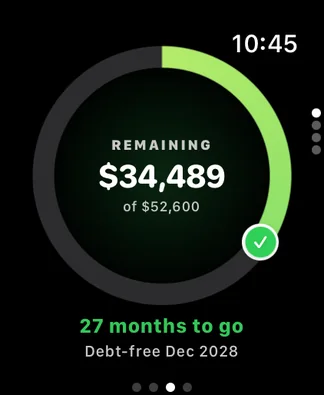
Widgets
Keep your plan in view on the Home Screen, Lock Screen, Mac desktop, and watch face.


Pricing
Two months free. Then keep going your way.
Every feature, on every device, free for two months from your first download. No sign-up and no payment details.
Free trial
$0 for 2 months
- Unlimited debts, with snowball, avalanche, your own order, and custom plans
- Projections, amortization, charts, payment logging, and reminders
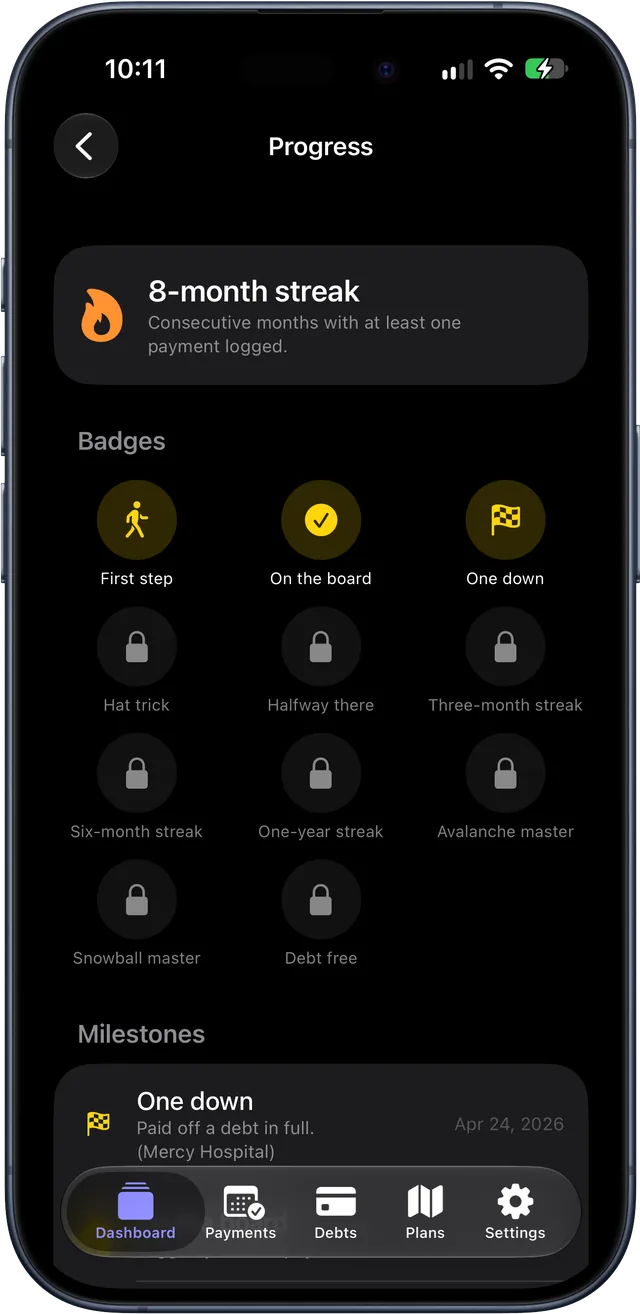
- Milestones, badges, and streaks
- The Apple Watch app and widgets
- Privacy Mode, iCloud sync, backups, and exports
- iPhone, iPad, Mac, and Apple Watch
Keep BeDebtFree
- One purchase covers every device on your Apple Account, with Family Sharing
- Your data is always yours. Backup and export keep working.
Prices are in US dollars; the App Store shows the price in your currency. If you don’t buy, BeDebtFree turns read-only when the trial ends. Nothing is deleted, everything stays visible, and backup, export, and restore keep working.
FAQ
Frequently asked questions
Does BeDebtFree connect to my bank?
No. You enter your debts and payments yourself, and BeDebtFree never asks for bank or creditor logins. Auto-pay and automatic monthly interest keep balances current between the updates you make.
Where is my data stored?
On your device, and in your own private iCloud account if you are signed in to iCloud, which keeps your iPhone, iPad, and Mac in sync. There is no BeDebtFree account and no CodeFlight server, so we cannot see your data. The iCloud section of Settings shows whether sync is active.
How do I hide my balances?
Turn on Privacy Mode in Settings › Privacy or from the Dashboard, or ask Siri to “Hide my balances in BeDebtFree.” Balances and debt names blur throughout the app and its widgets, and notifications show the debt type in place of its name, with amounts masked. It is set separately on each device.
How does the free trial work?
Everyone gets two months of BeDebtFree with every feature: unlimited debts, custom plans, the Apple Watch app, and widgets. There’s no sign-up, and you never enter payment details to start, so there’s nothing to cancel. The trial counts from the day you first download BeDebtFree, and it’s the same on all your devices. If you’ve allowed notifications, BeDebtFree reminds you three days before it ends. To keep going, choose $2.99 a month, $24.99 a year, or $59.99 once (US prices; the App Store shows yours).
What happens when the trial or my subscription ends?
BeDebtFree becomes read-only, and nothing is deleted. Your Dashboard, plans, timeline, history, widgets, and Apple Watch still show your numbers. You can’t add or edit anything, though, and auto-pay logging and interest updates pause. Backup, CSV and PDF export, and Restore keep working. When you buy or renew, BeDebtFree asks you to confirm your current balances, so the paused time is skipped rather than filled in. If a renewal payment fails, BeDebtFree keeps working while Apple retries it.
I bought BeDebtFree. Why isn’t it unlocked on my other device?
Open Settings in BeDebtFree and tap Restore Purchases (it’s also on the purchase screen). Make sure the device is signed in to the same Apple Account you bought with. One purchase covers every device on that Apple Account, and Family Sharing is supported.
How do I cancel my subscription?
Subscriptions are managed by Apple. Tap Manage Subscription in BeDebtFree, or open your Apple Account’s Subscriptions in the Settings app.
How do I back up or move my data?
iCloud sync is not a backup. Use Settings › Back Up My Data to save a backup file, and Restore from Backup to bring it back. You can also export your payment history as a CSV or your payoff schedule as a PDF. Backing up, restoring, and exporting always work: during the trial, after it, and whether or not you’ve bought BeDebtFree.
Can I use a currency other than US dollars?
Yes. BeDebtFree starts with your device’s currency, and you can choose another in Settings › Currency. Every balance and payment is shown in that currency. The app does not convert between currencies.
TestFlight
Join the beta
BeDebtFree is in beta on iPhone, iPad, Mac, and Apple Watch through TestFlight, Apple’s app for testing apps before release. Your feedback shapes the 1.0.
First, install Apple’s free TestFlight app from the App Store on your iPhone, iPad, or Mac. Then come back here on that device and tap the button.
Join the TestFlight betaOpens in TestFlight on iPhone, iPad, or Mac.